ALL WORK
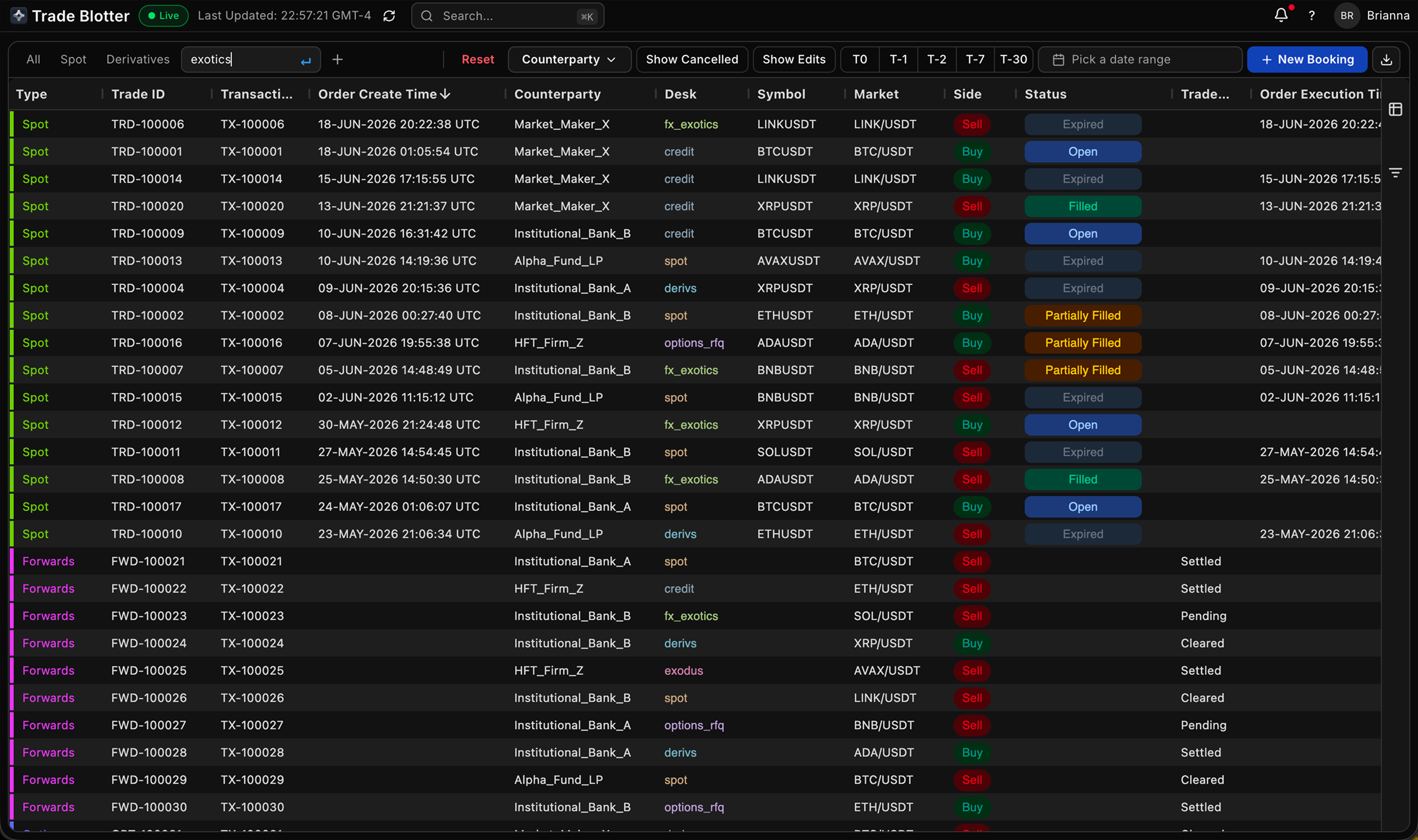
Unified Trade Blotter
Five trading systems collapsed into one screen - view, book, edit, and cancel every transaction type without leaving the table.
ISSUE
Five systems to see one client
A trader couldn't answer the most basic question on a desk: "What has this client done, and where is my risk right now?", without scraping the answer by hand across five systems. Spot, options, forwards, loans, and transfers each lived in their own table, with their own columns and their own edit rules. The system where you viewed a trade was never the one where you could fix it. Column layouts reset between sessions. Exports shattered every order into parent and child fragments. Cancelling a filled trade meant deleting its child orders one by one. The tools didn't just slow the desk down, they fought it.
SOLUTION
Every transaction is a row. Every action is a panel.
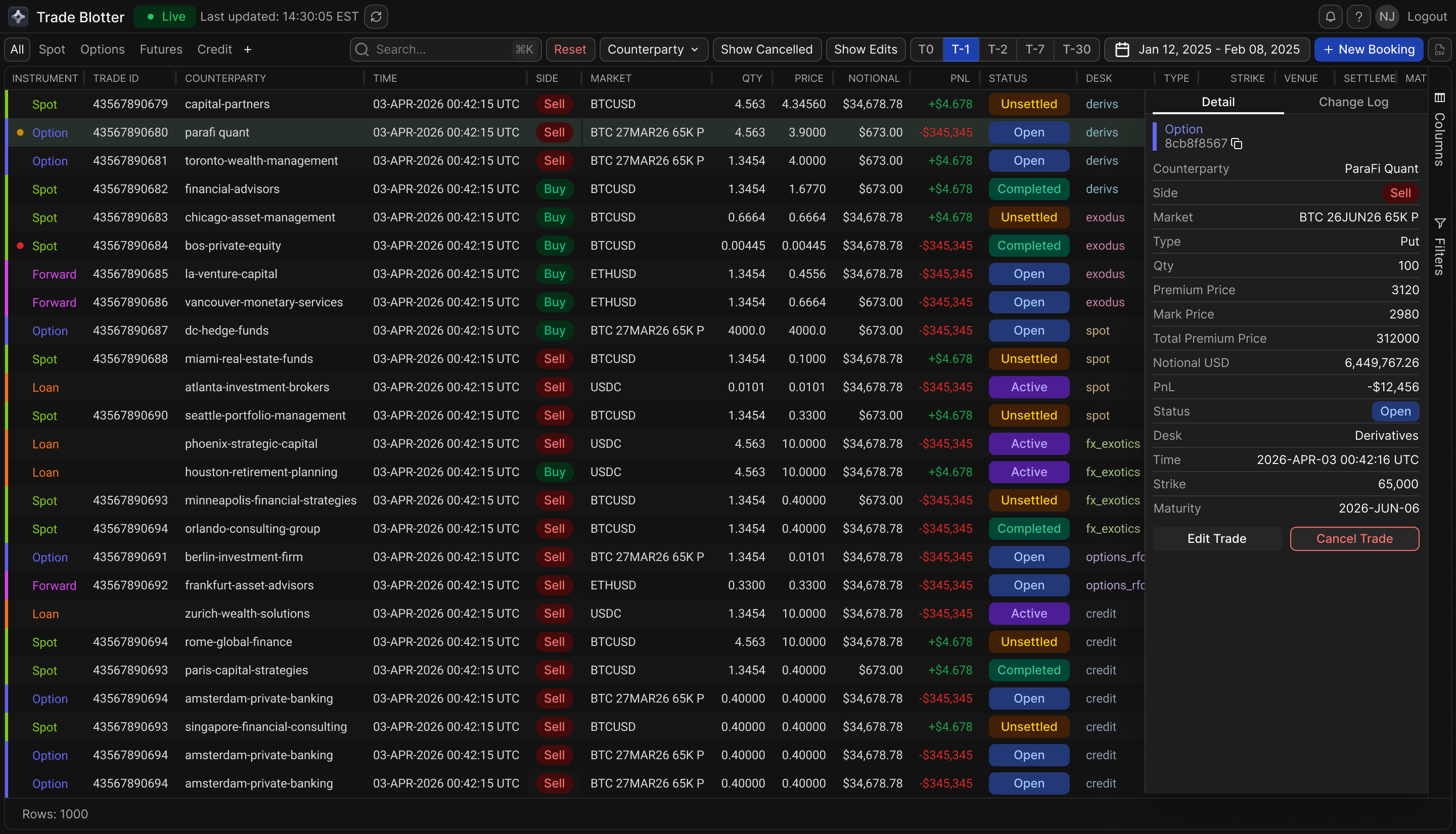
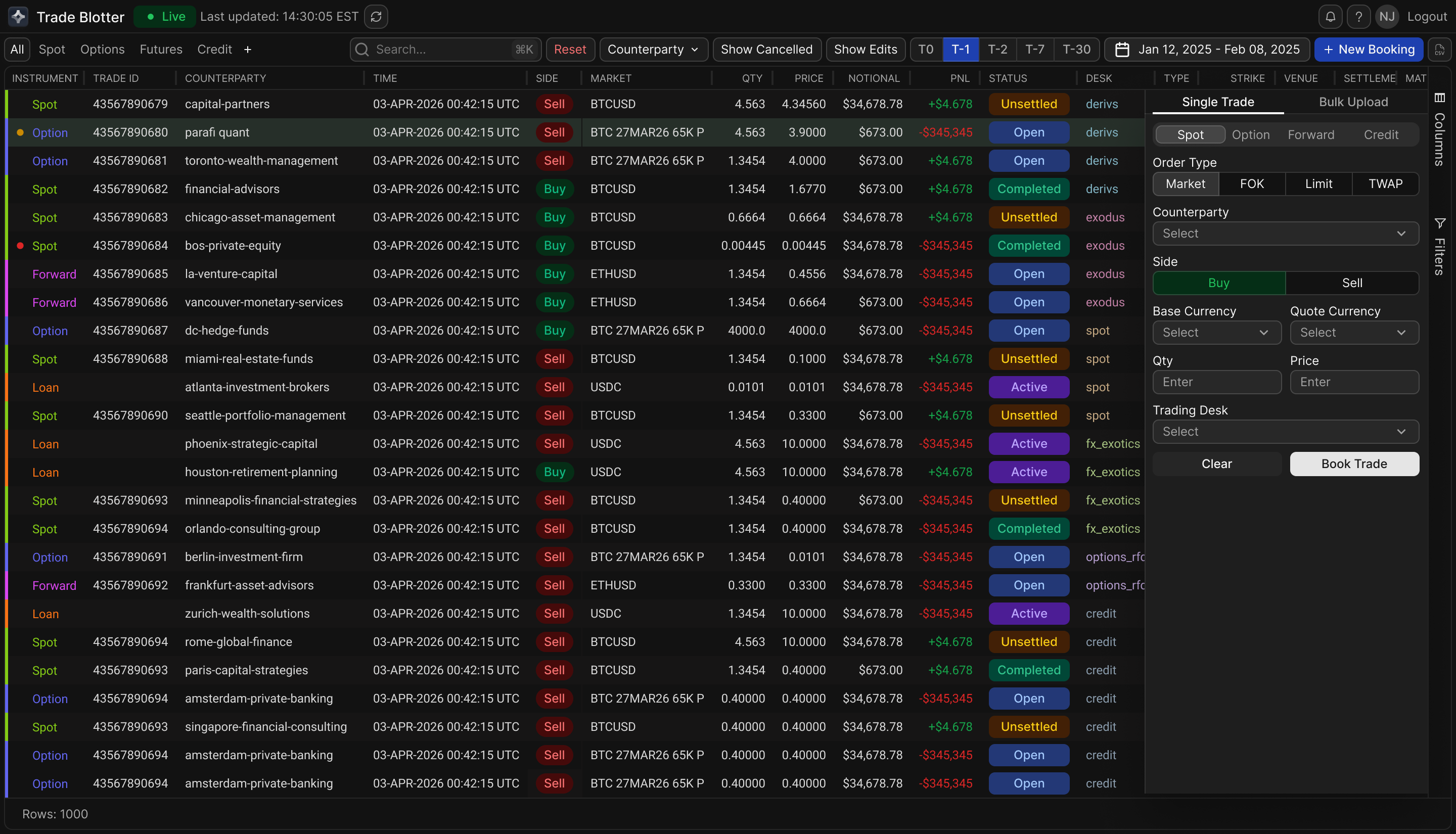
The blotter is built on two decisions. The first is no hierarchy. Every transaction is a single flat row in a unified 78 field schema, whether it's a spot fill, an option, a forward, a loan, or a transfer. There is no parent and child structure, no nesting, nothing to expand. That one modeling choice also fixed the broken exports and the manual cancellation chain, because both problems came from the hierarchy itself. The second is that viewing and acting never separate. A contextual side panel opens over the table and handles detail, editing, single and bulk CSV booking with inline validation, cancellation with a logged reason, and the full change log. Traders keep their row and never switch systems. Around those two decisions sit the supporting layers: color coded product and status indicators that read at a glance, three density levels, command search, and column preferences that finally persist. Every edit feeds an immutable audit trail.
1
Selecting a row opens full detail, editing, and change log in one side panel. No modals, no system switching.
2
One booking panel for every product type. Switching between spot, options, forwards, and credit reconfigures the form to match.
3
Build a custom view in a few clicks: add a tab, name it, apply filters. Views persist between sessions.